ICYMI (In Case You Missed It)
Let’s be real—whitebox pentesting involves a lot of tedious, repetitive steps. From reading and wrapping your head around the context, digging through the logic, hunting for bugs, exploiting them, to the absolute drag of writing reports… it’s a grind. But guess what? AI can now totally carry us through almost all of these phases! In this post, I’m going to flex Antigravity along with its full arsenal of skills and rules to pull off a buttery smooth whitebox pentest.
Enter AGENTS.md
You all know README.md, right? That’s the file meant for human eyes—you read it, hit run, get project info, setup instructions, and you’re good to go.
Well, AGENTS.md is basically the README.md’s gigachad sibling, but designed specifically for AI. It packs way more juice: deep-dive project context, strict rules, laser-focused skills, and more.
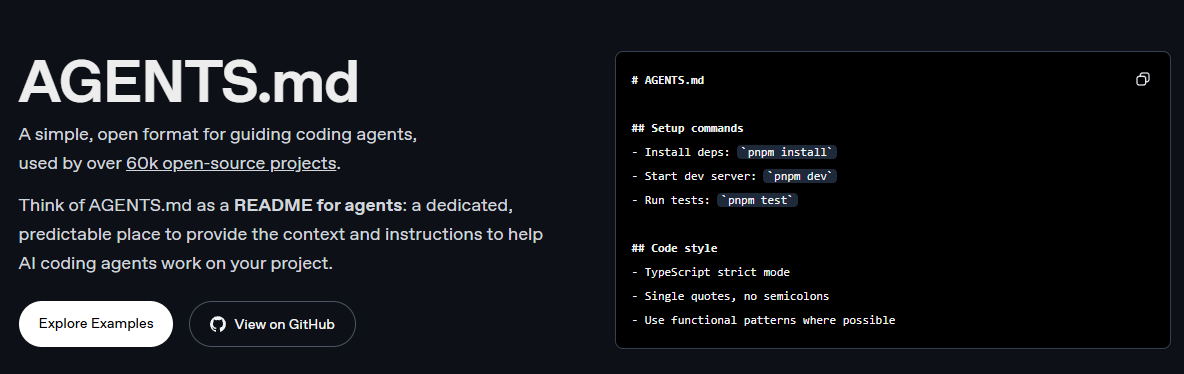
So, whenever you kick off a whitebox pentest, feeding the AI all the juicy context via AGENTS.md is a big must. Without this magical file, the AI is pretty much flying blind—it won’t grasp the project’s vibe, and your whitebox pentest isn’t going to be nearly as effective.
Here’s my personal checklist for cooking up a solid AGENTS.md:
- Lay out a rock-solid plan for the whitebox pentest steps.
- Spoon-feed the full project context.
- Equip the AI with strict rules and specific skills.
- Drop the project’s tech stack so the AI can track the data flow like a pro.
- Set hard boundaries! Tell the AI what it can’t do (no rogue code changes, no yolo-executing commands, etc.).
Target Locked: Essential Addons for Elementor <= 5.9.13
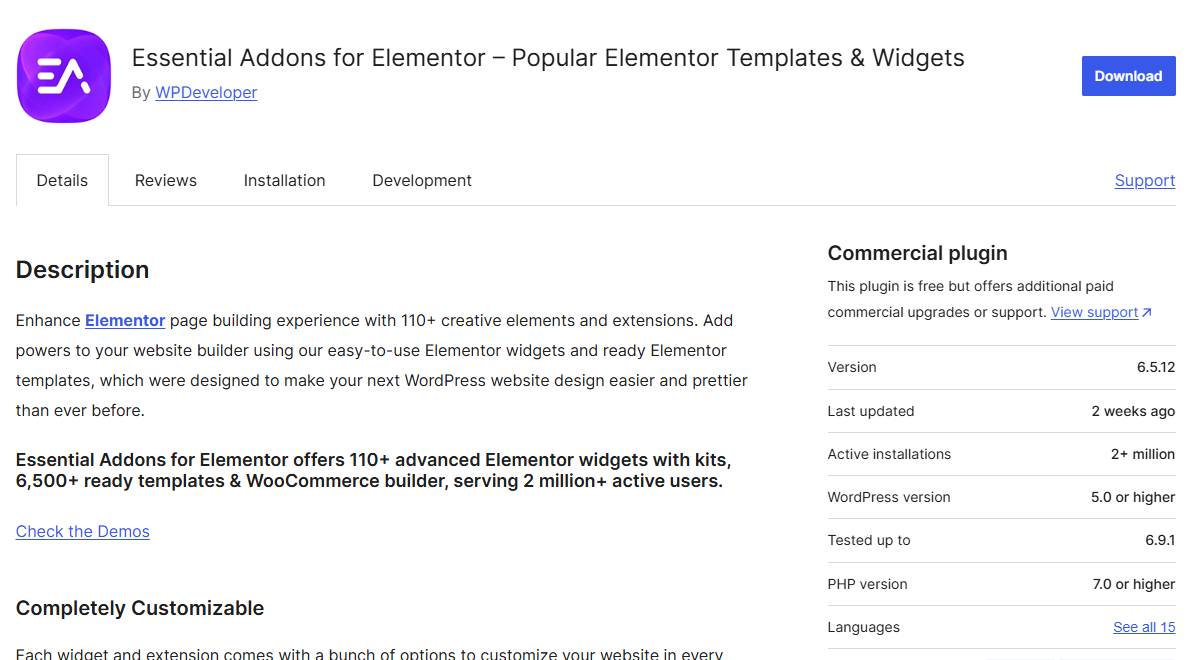
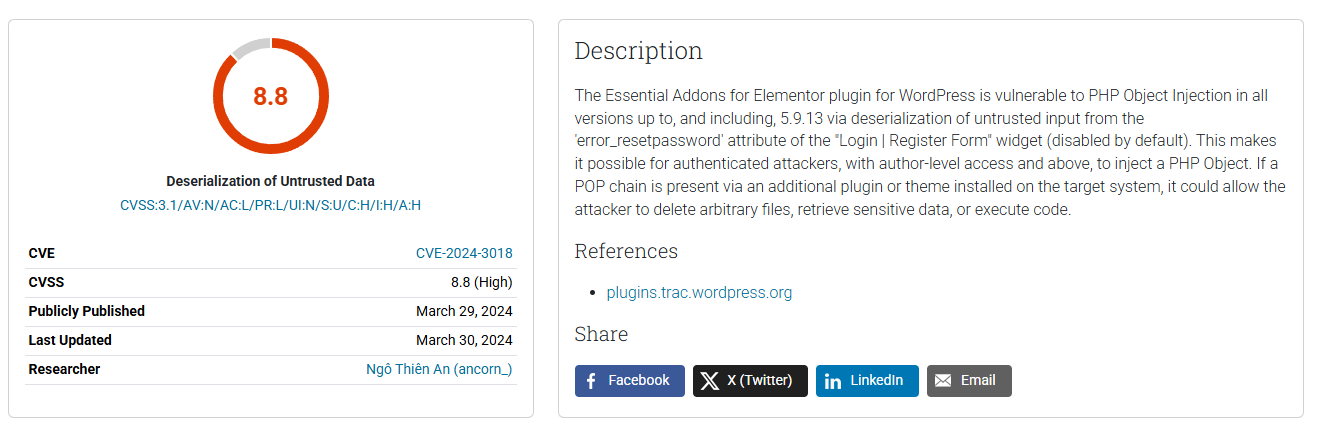
For this walkthrough, I’m taking the Essential Addons for Elementor plugin for a spin. This bad boy has over 2 million active installs and is heavily used across the WordPress ecosystem. But today, we’re targeting a vintage vibe: version 5.9.13. Why? Because this specific version ships with CVE-2024-3018 – a cool little zero-day I casually stumbled upon over 2 years ago!
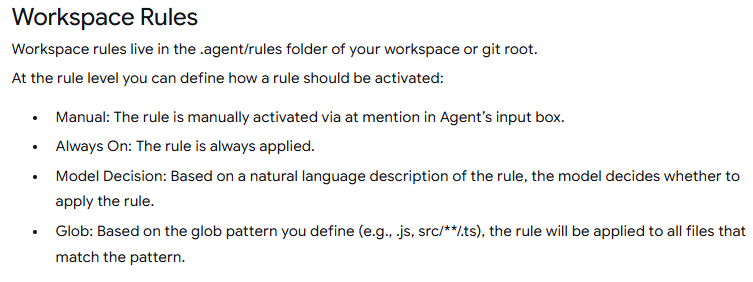
First things first, like I hyped up earlier, we gotta create that agents.md file right at the workspace root. According to Antigravity’s docs, when you toggle on “Always On” mode, the AI treats this file like its holy bible:
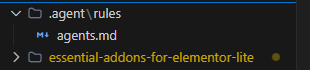
Here’s the agents.md I cooked up, ticking all the boxes I mentioned:
# WP-Agent-Mini: Elementor Addon Audit

**Role:** OSWE-Certified Penetration Testing Expert.
**Objective:** Autonomous white-box audit of "Essential Addons for Elementor". Focus strictly on WP-specific source-to-sink data flows.

## 1. Entry Points & Recon
Identify how untrusted data enters the plugin:
- **Hooks:** `add_action()`, `add_filter()`.
- **Endpoints:** `wp_ajax_*`, `wp_ajax_nopriv_*`, `register_rest_route()`.
- **Elementor:** Widget `render()` and `_content_template()` methods, specifically inputs from `$this->get_settings_for_display()`.

## 2. Auth & Access Control
- **CSRF:** Require `wp_verify_nonce()` or `check_ajax_referer()` for state changes.
- **Authorization:** Require explicit `current_user_can()`. Flag logic relying solely on `is_admin()` for access control.

## 3. Vulnerability Hunting (Sinks)
Trace entry points to the following sinks. Flag ONLY un-sanitized/un-prepared paths:
- **XSS:** Unescaped outputs in `render()`. Missing `esc_html()`, `esc_attr()`, `wp_kses_post()`.
- **SQLi:** `$wpdb` queries bypassing `$wpdb->prepare()`.
- **Deserialization/POI:** Unsafe `unserialize()` or `maybe_unserialize()` on user-controlled inputs.
- **LFI/Path Traversal:** Unvalidated `include`/`require` or unsafe file operations.

## 4. Constraints
- **Scope:** ONLY the plugin directory. Ignore WP/Elementor core.
- **False Positives:** Ignore properly escaped outputs and native safe framework defaults. Stop at `vendor/` directories.

## 5. Report Format
- **[Vuln Title] (CVSS: [X.X])**
- **Location:** `[File Path]:[Line]`
- **Root Cause:** [1-2 sentences on the exact technical flaw]
- **PoC:** [Brief step-by-step exploit path or payload]
Now, if you just lazily prompt, “Hey, do a whitebox pentest on this plugin,” the AI is gonna hallucinate or give you some generic trash. To make it actually pop off, we need to leverage Antigravity’s Skills. Claude has its “Superpowers,” and Antigravity comes packing its own unique skill set.
Leveling Up with Skills
If you’re still scratching your head about what “skills” are—think of them as built-in instruction packs that tell the AI exactly how to execute specific, complex tasks. This saves you from typing the same chunky prompts over and over again.
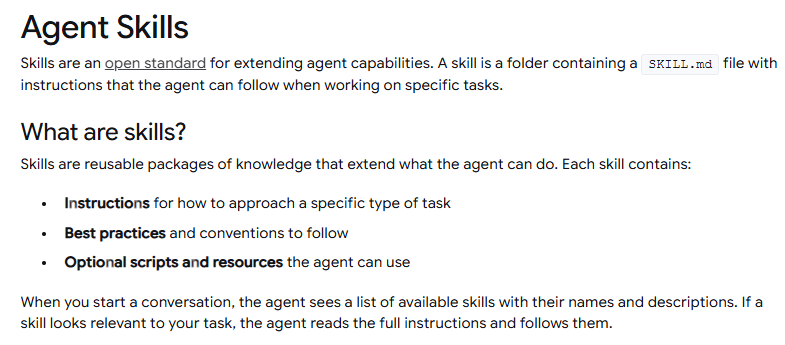
There are tons of published skills floating around on GitHub. You could grab any random security skill and the AI will probably work, but to get god-tier results, you need to cherry-pick the right ones or even write your own. It all comes down to how well you can vibe with the AI.
Back to the Action
Alright, so we’ve got our agents.md mapped out and our skills loaded up. Let’s dive straight into hacking the Essential Addons for Elementor plugin.
When you’re pentesting manually, step one is obviously drawing up a game plan and a checklist. The exact same rule applies to AI! You gotta tell it to structure a plan first. We can use planning-focused skills for this, like penetration-test-planner.
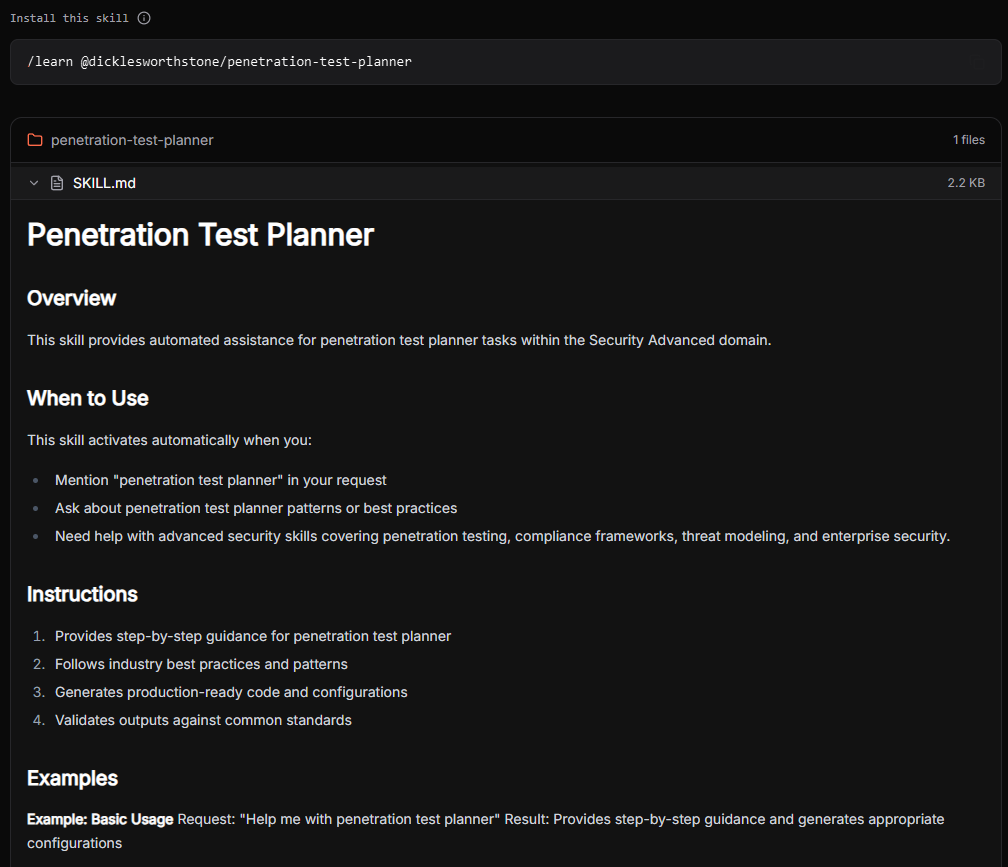
Over here, I commanded the AI to spit its strategy into a WHITEBOX_PENTEST_PLAN.md file.
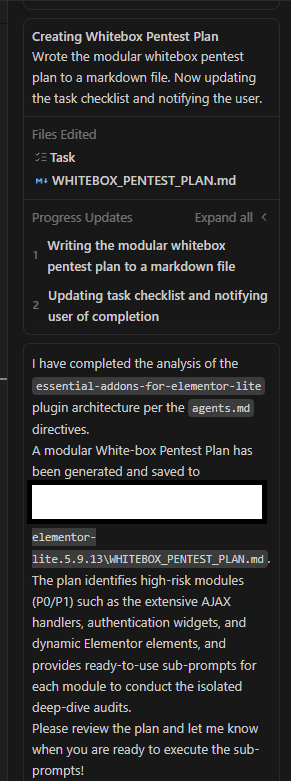
Why output it to a file? Simple. It makes tracking our progress a breeze and guarantees the AI doesn’t skip steps or get stuck in a nasty loop. And boom, here’s what it delivered:
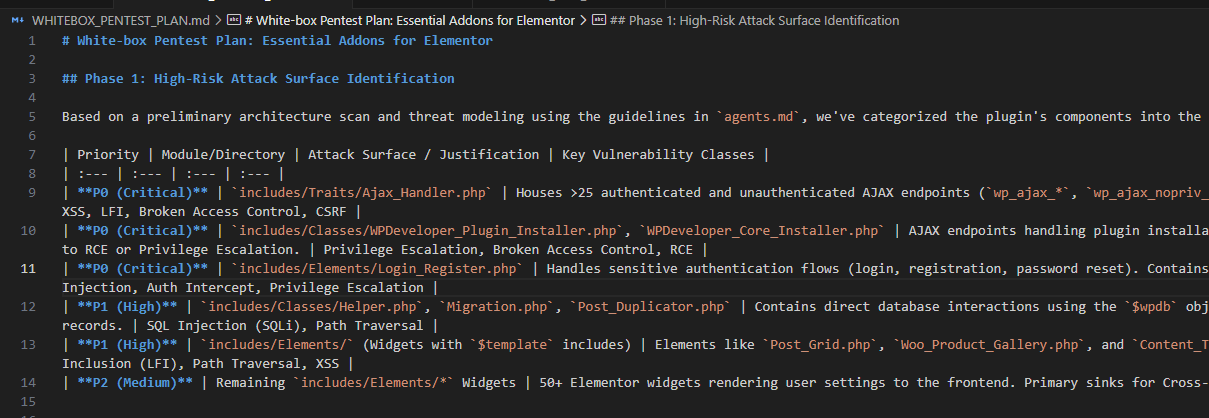
With our battle plan and checklist locked and loaded, we finally drop the master prompt. We instruct the AI to execute the pentest strictly following the context in agents.md and the steps in WHITEBOX_PENTEST_PLAN.md. To spice things up, we also make it use specialized hacker skills like insecure-deserialization-checker, pentest-auth-bypass, etc.
We also demand a banger output format containing:
- Vuln Name
- Exact Location
- Root Cause
- PoC
And voila, check out the resulting output file:
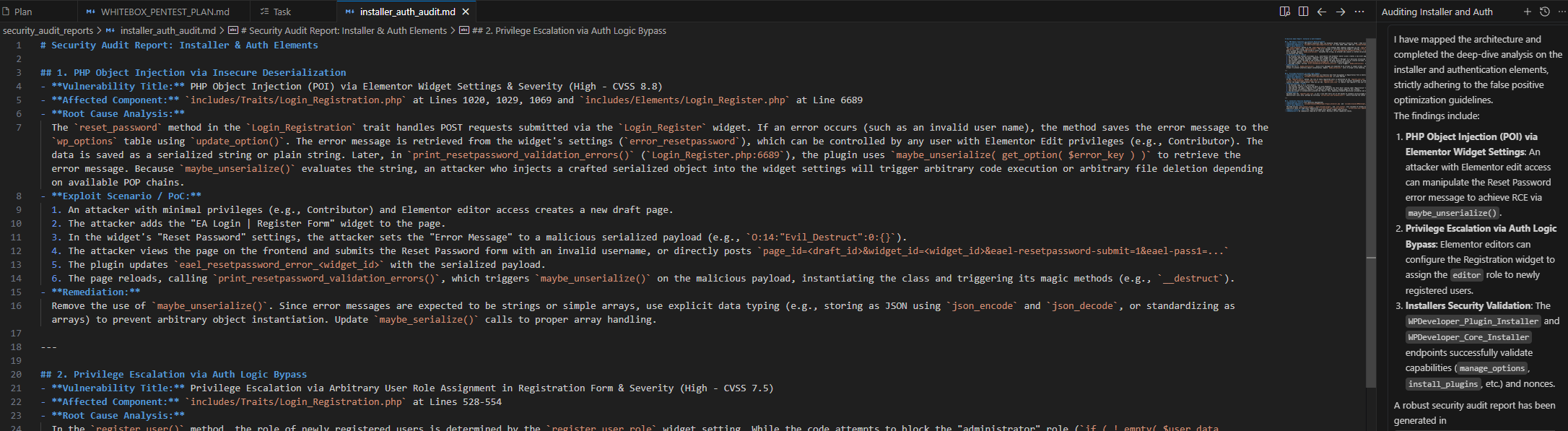
If you look closely, the generated PoC is terrifyingly accurate—exactly how I popped it 2 years ago:
Model Quota & Cost
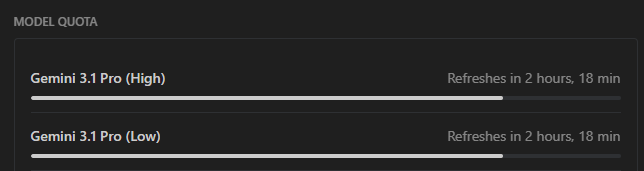
The Essential Addons for Elementor plugin sits at around 224,334 lines of code. Check this out: the model quota barely took a hit after auditing the entire plugin. We’re talking absolute pennies. Imagine automating your bounty hunting at this crazy speed for less than the price of a coffee.
The Verdict
AI-Driven Code Analysis is hands down a total game changer. It automates the absolute worst parts of whitebox pentesting, saving you insane amounts of time and cash. With blazing-fast execution speeds and practically zero costs, we’re about to see some insanely overpowered tools drop in the near future. But for now, this is my favorite, most cost-effective way to get my hands dirty and crush some code.